[ Data integration ]
Every supplier's format, mapped to yours.
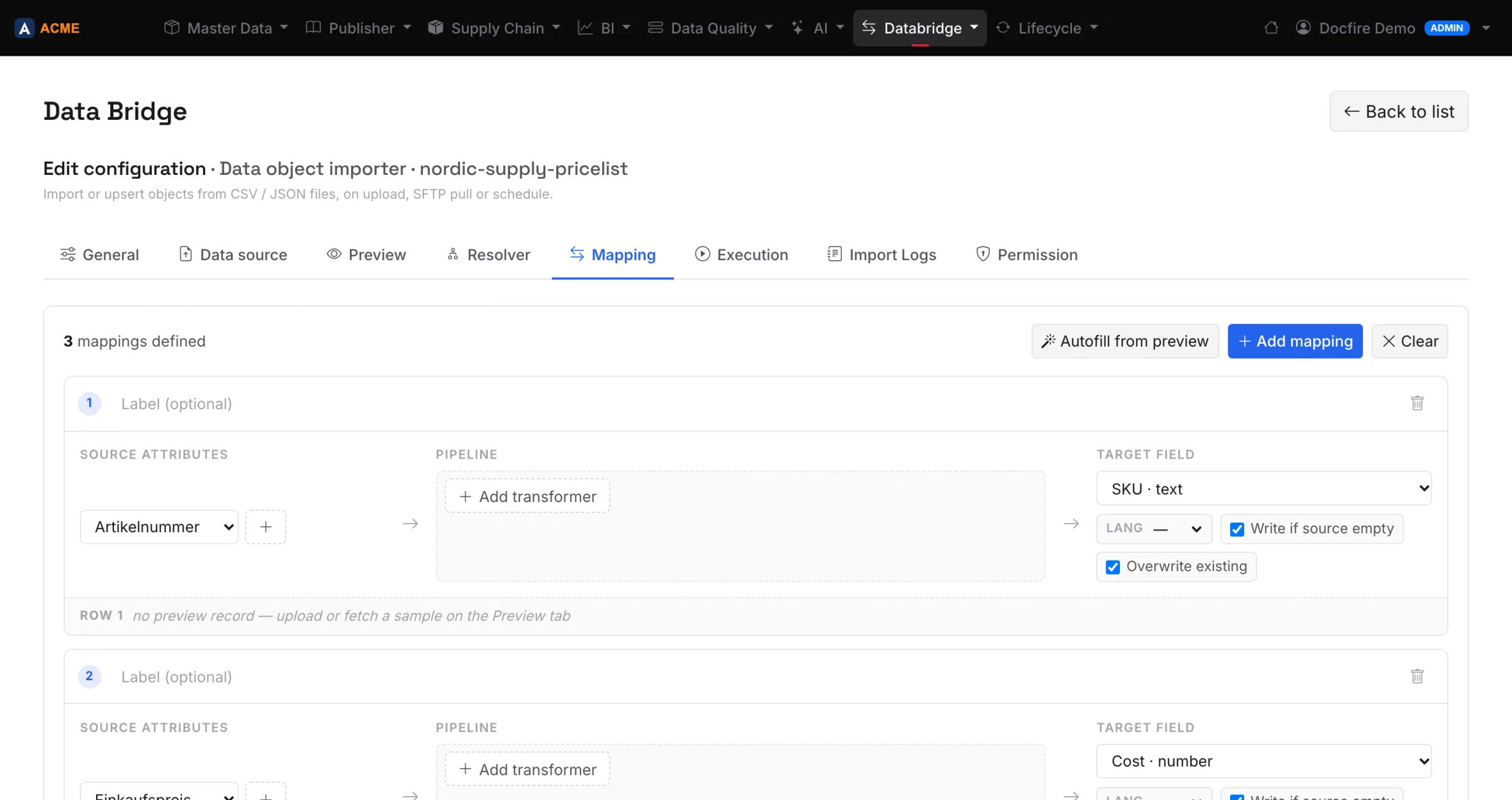
CSV, JSON, XML, a SQL query, SFTP or an HTTP endpoint. Map the columns once, then run it by hand or on a schedule. No code.
01
Start from the file you already get.
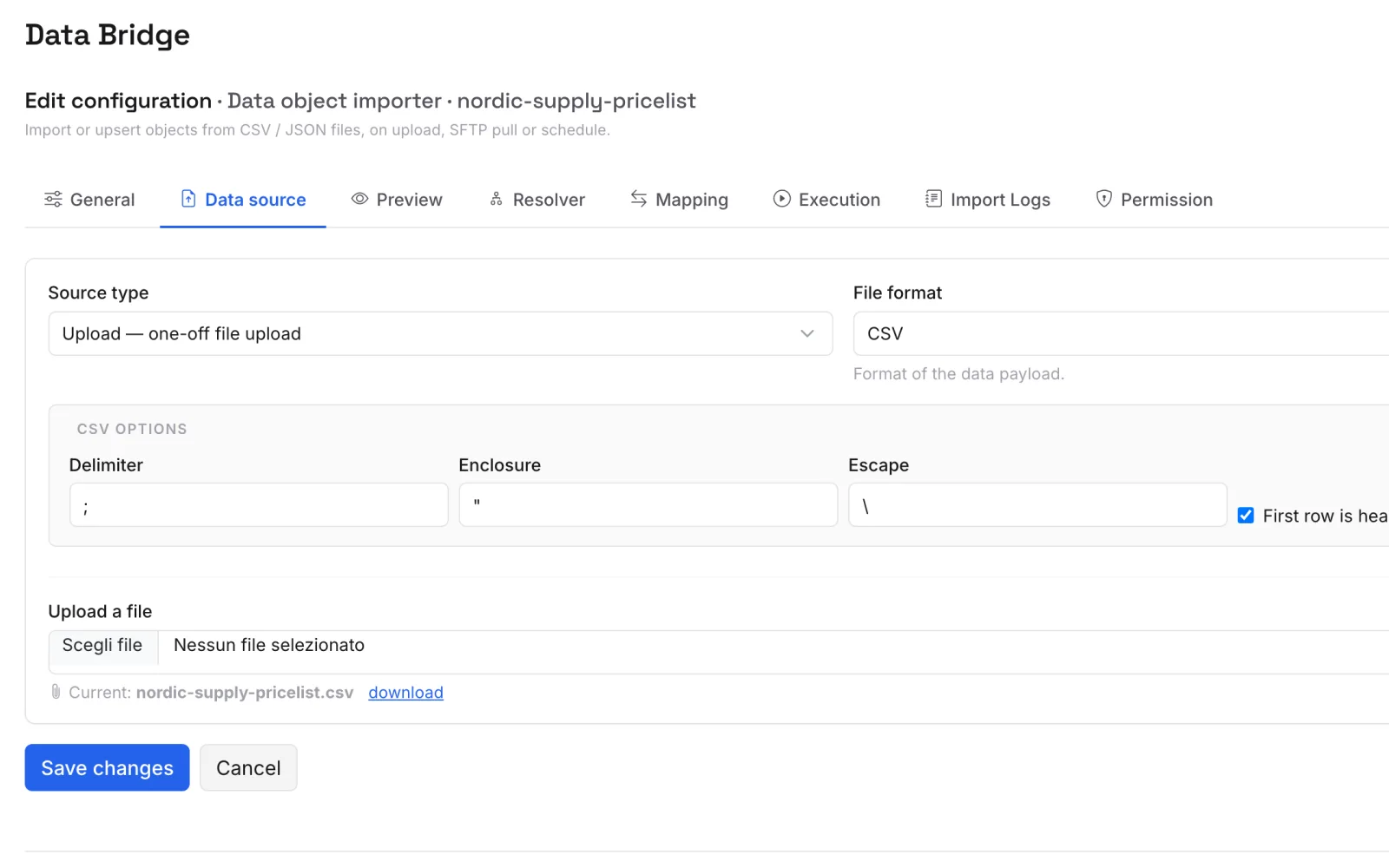
Upload the supplier's price list, point at an SFTP folder or an endpoint, or query your ERP's database. Databridge reads it as it comes: German headers, semicolons and all.
02
Match by SKU. Create nothing you didn't ask for.
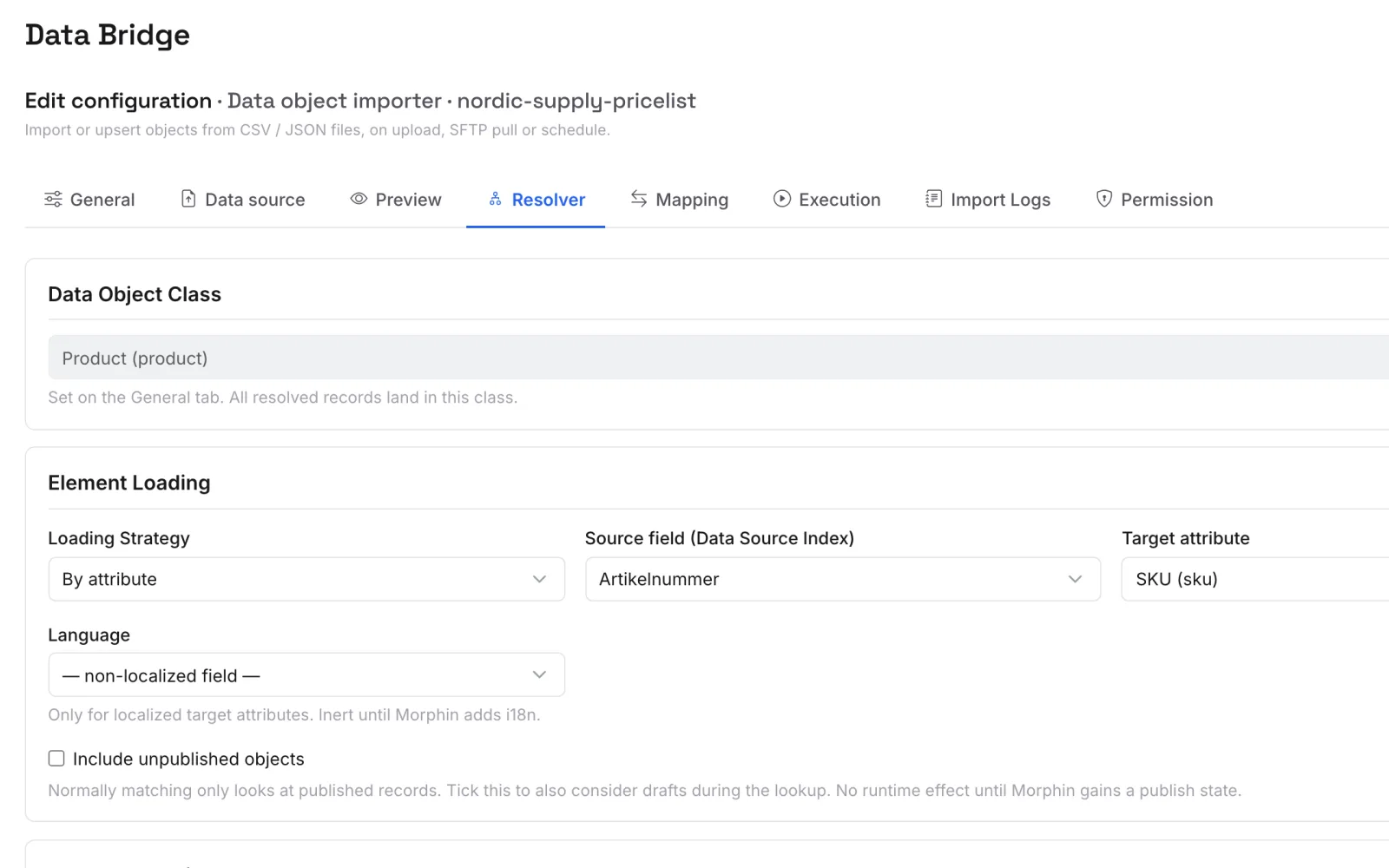
Decide how a row finds its product — by SKU, by path, by ID — and whether new products may be created. The importer in the demo updates purchase prices and never adds a product.
03
Every run leaves a log.
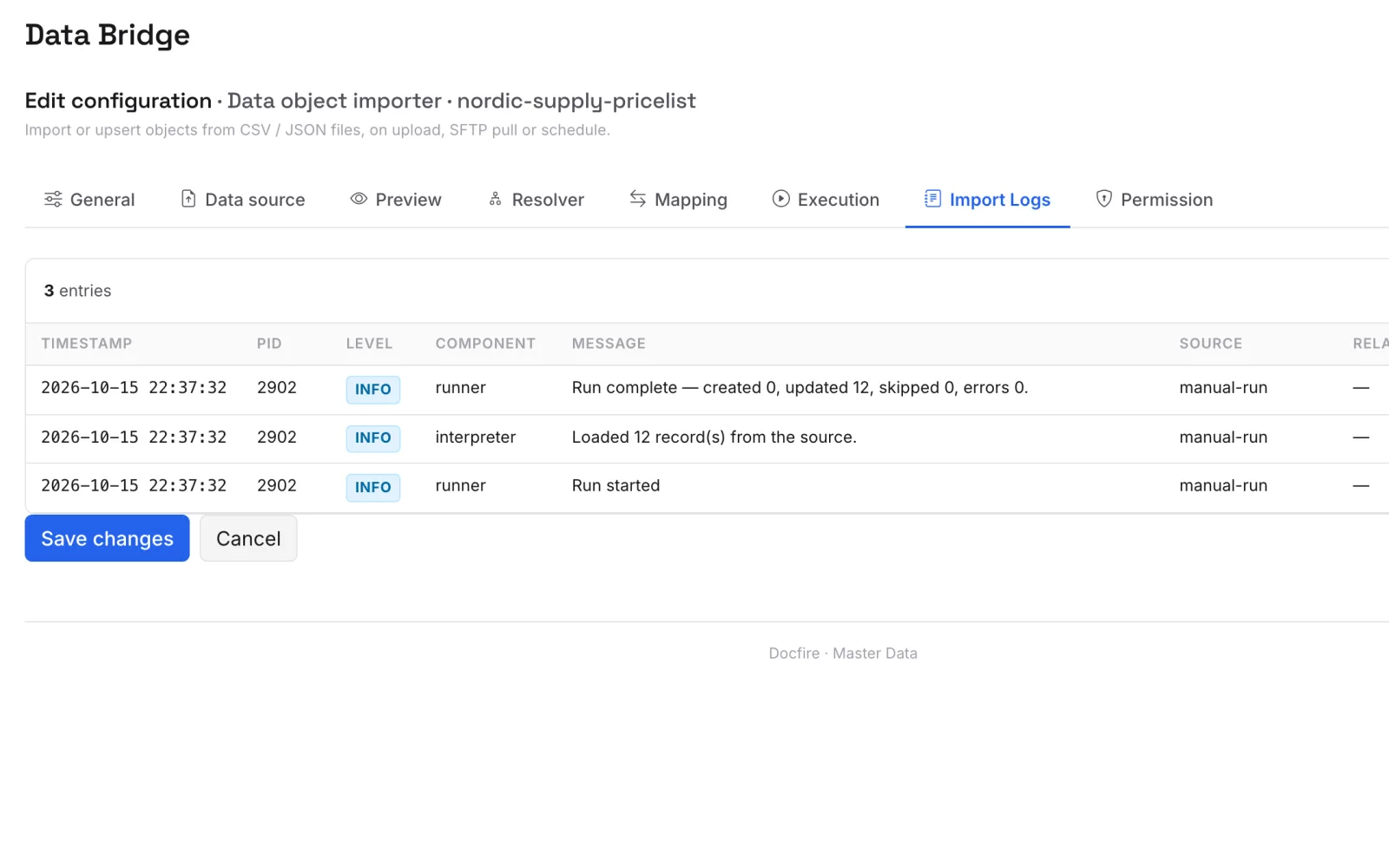
Created, updated, skipped and errors are counted on every run, with the messages step by step. Runs go by hand or on a schedule.
[ Not for you if ]
- You only need to import a CSV once. Use the standard Master Data import instead.
- You need GraphQL ingestion or scheduled outbound file feeds (file_export) today. Both are on the roadmap, not yet shipped — inbound CSV/JSON/XML and outbound webhooks are.
- You're looking for a standalone enterprise orchestrator. Databridge runs inside Docfire, it doesn't replace your data warehouse pipeline.
Configure your first importer in 10 minutes
Sign up free, point Databridge at a CSV or an HTTP endpoint, see records land in your catalogue.